
Staff scheduling
The current build shows who is on the deck and which shifts still need a body. The broader workflow is still being completed.
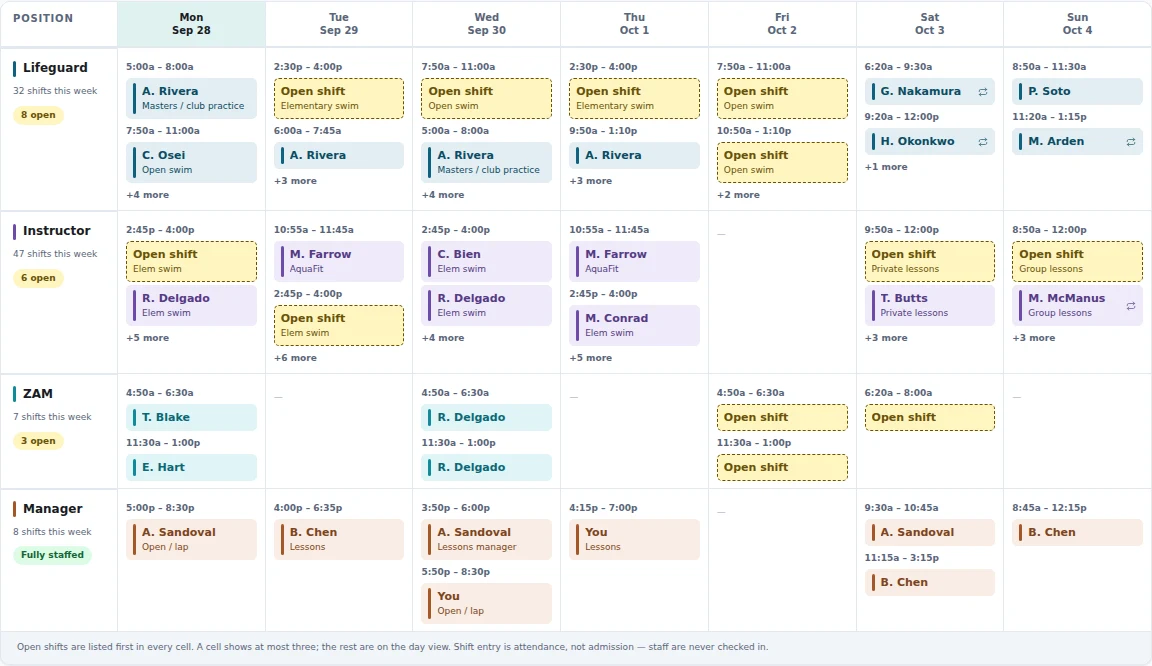
Feature overview
The current NatareOps scheduling build lays the week out by position and puts open shifts first. Position, availability, assignment, and shift-maintenance workflows are present, while the overall module continues toward product completion.
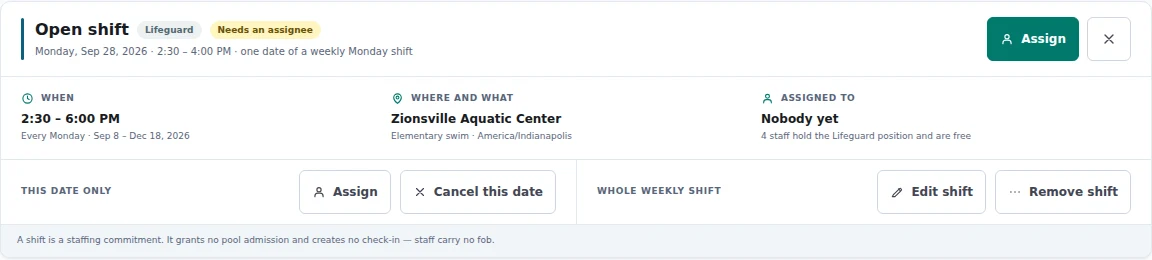
Every shift is one click from a decision.
Open a shift to see when and where it is, who it is assigned to, and what is left to do. Change a single date or the whole weekly shift, and cancel one date without touching the rest.
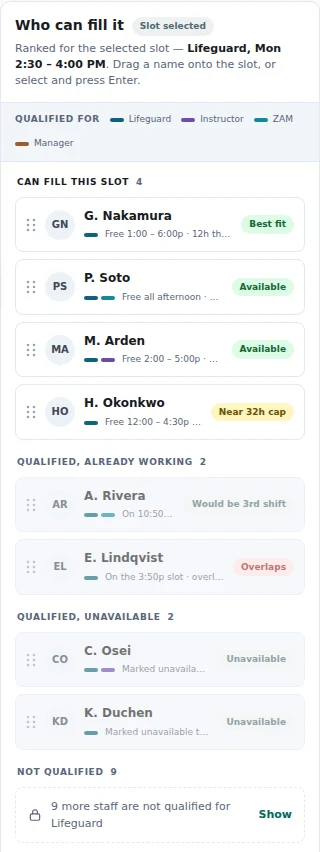
Pick a slot, then drag in the person who fits.
For the slot you select, NatareOps ranks who can take it. People who hold the position and are free come first. Anyone already working that day, near their weekly cap or unavailable is shown with the reason, so you are never guessing.
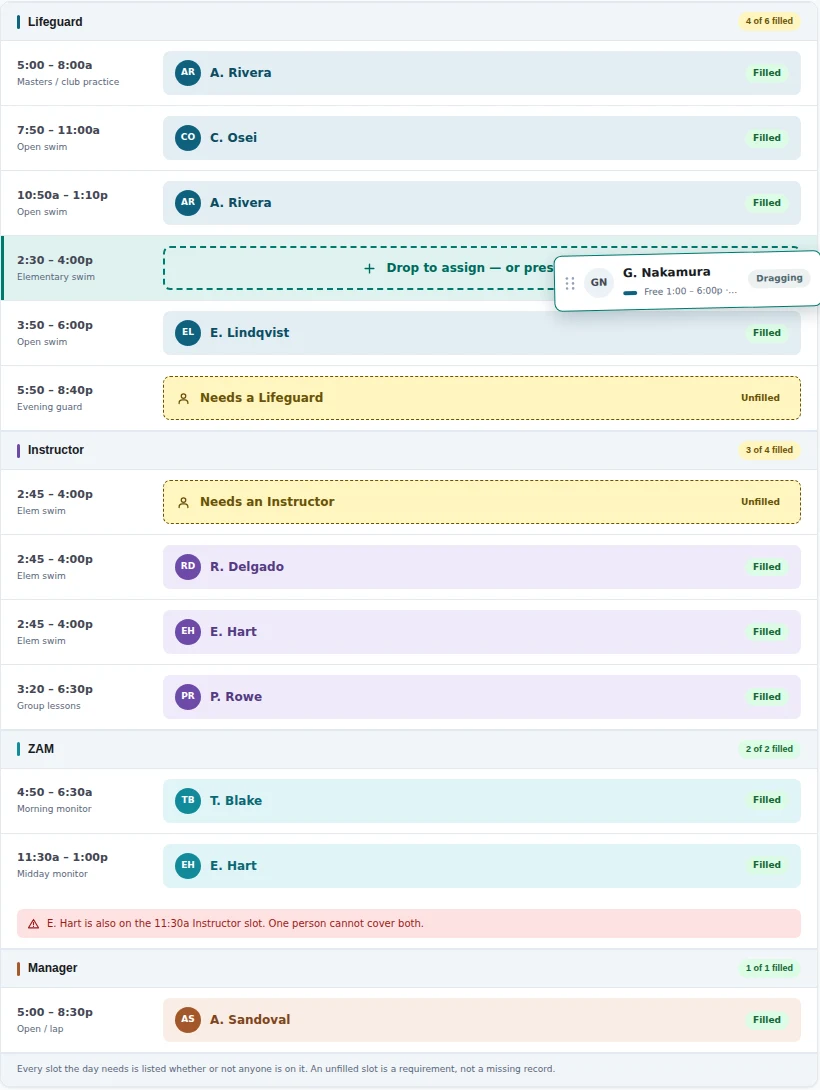
Double-bookings show up before you publish.
Unfilled slots are called out on the day, and a person who is on two slots at once gets a warning. Every slot the day needs is listed whether or not anyone is on it, so an unfilled slot reads as a requirement, not a missing record.
A shift is a commitment, not a pass.
A shift grants no pool admission and creates no check-in. Staff scheduling stays separate from your visit counts, so your attendance numbers only reflect swimmers.
Preview the scheduling workflow in progress.
See the current Week/Day views, positions, people, and open shifts with demo data.