
Book a demo

Everything a pool runs on, in one system.

Turn on the modules you need. Each one works on its own, and they share data when you use them together.

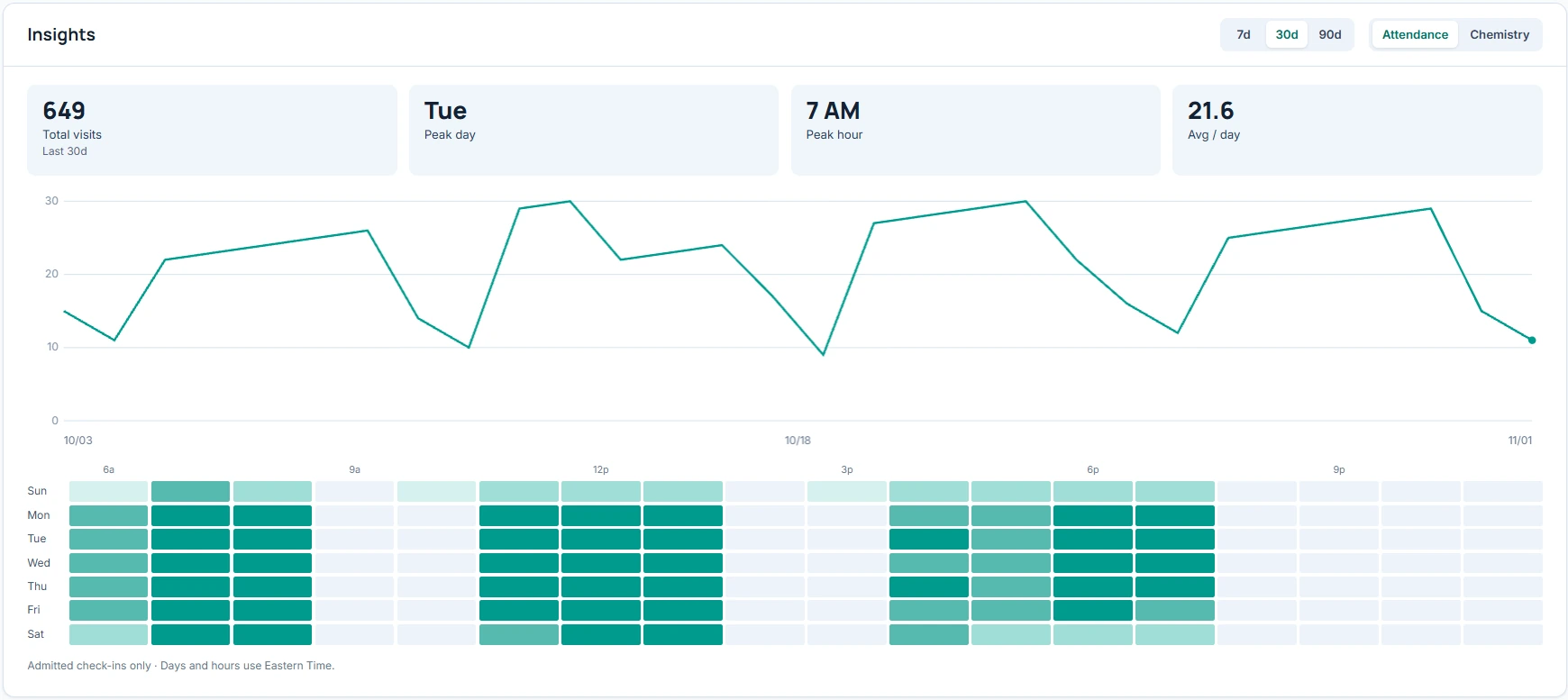
NatareOps attendance insights: total visits, peak day, peak hour, a 30-day visits chart, and an hour-by-day heatmap
Attendance insights: when your pool is busy, hour by hour. Demo data.

Front desk

Who comes in, and how they get in
At the front desk

Check-in station

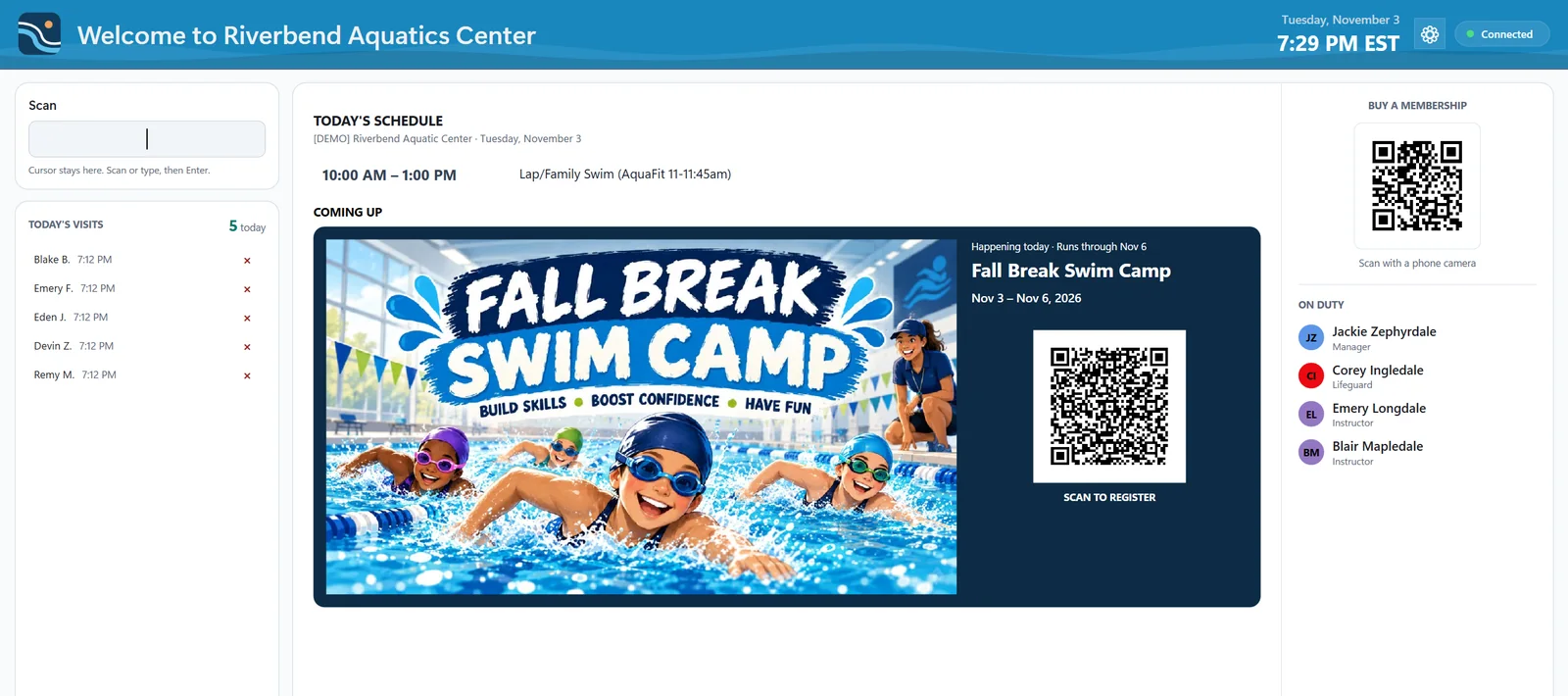
One screen at the front desk that checks members in and keeps everyone informed: what's open, what's coming up, and who's on deck.

  • Scan, tap, or type, and scans wait safely if the internet drops
  • Lobby screens show first name and last initial only
  • Pilot-review promotions with an optional QR code to register
Learn more →
A NatareOps check-in station: a branded header with logo and greeting, today's schedule, and a Fall Break Swim Camp promotion with a registration QR code
  • Your brand, set from anywhereLogo, colors, greeting, and header style come from a settings page. Stations pick up a change within seconds.
  • Scan, tap, or typeBadge, fob, or member number. If the internet drops, scans wait safely on the station and send when it's back.
  • Today's visits, privatelyA live list of check-ins that shows first name and last initial only.
  • Today's scheduleWhat's open right now, from your facility schedule or the calendar you already keep.
  • Promotions and sign-ups Pilot reviewPreview upcoming-event cards with your artwork and an optional QR code while the feature completes live-station review.
  • Who's on dutyThe manager, guards, and instructors on shift right now, straight from the staffing schedule.
Every member, every visit

Membership

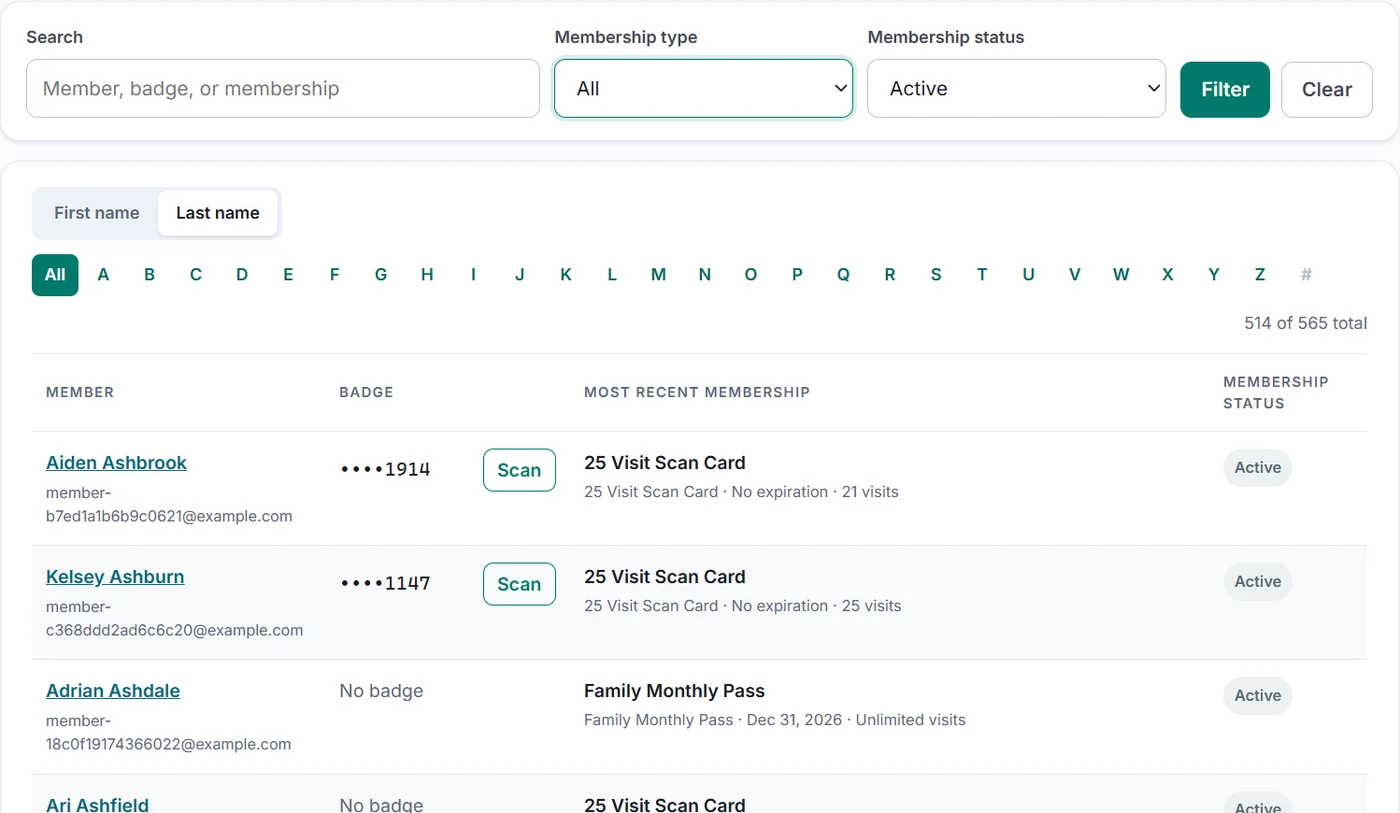
A full roster with statuses, types, and family accounts. Fob and badge check-in through a check-in app set up for your facility, with visit history on every member.

  • Family memberships with shared visit counts
  • Hour-by-day visitor heatmaps for staffing
Learn more →
Members list with a letter picker, each member's badge and most recent membership

Operations

Staff, water, and the daily run of the deck
In progress

Staff scheduling

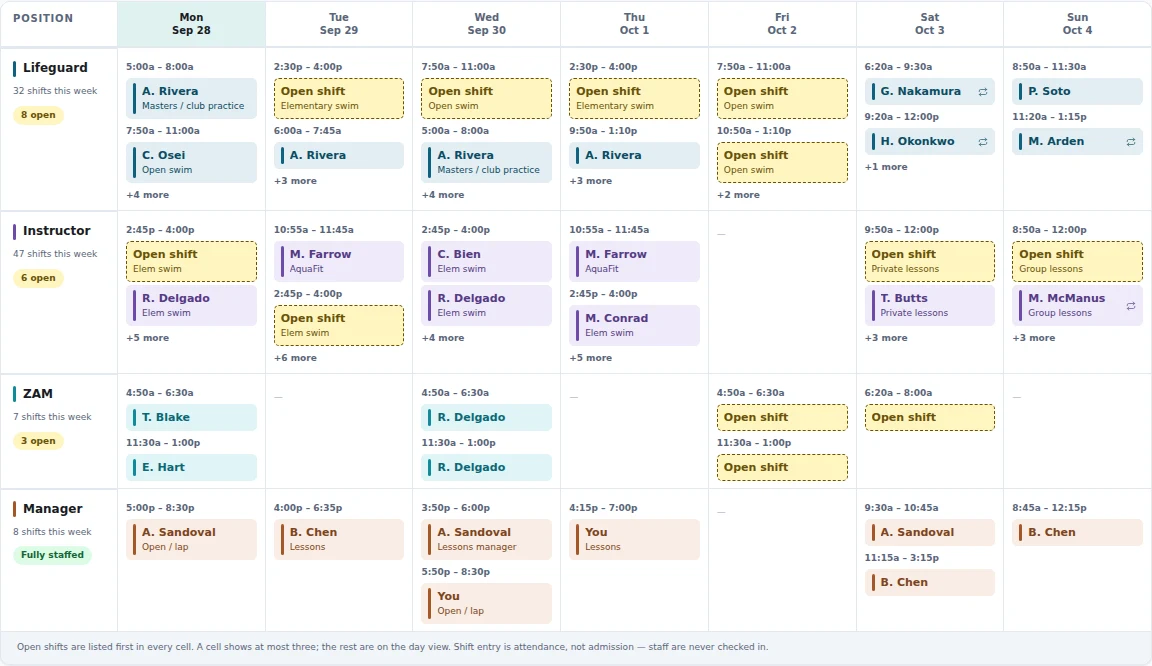
The current build covers positions, shifts, availability, and Week/Day views. The full scheduling workflow is still being completed before it is presented as finished.

  • Open shifts stand out and are listed first
  • Positions tied to required certifications
  • Staff availability collected in one place
  • Who's on duty, live, on the dashboard
Learn more →
Weekly staff schedule by position with open shifts outlined in yellow
Manual today, automation by activation

Water chemistry

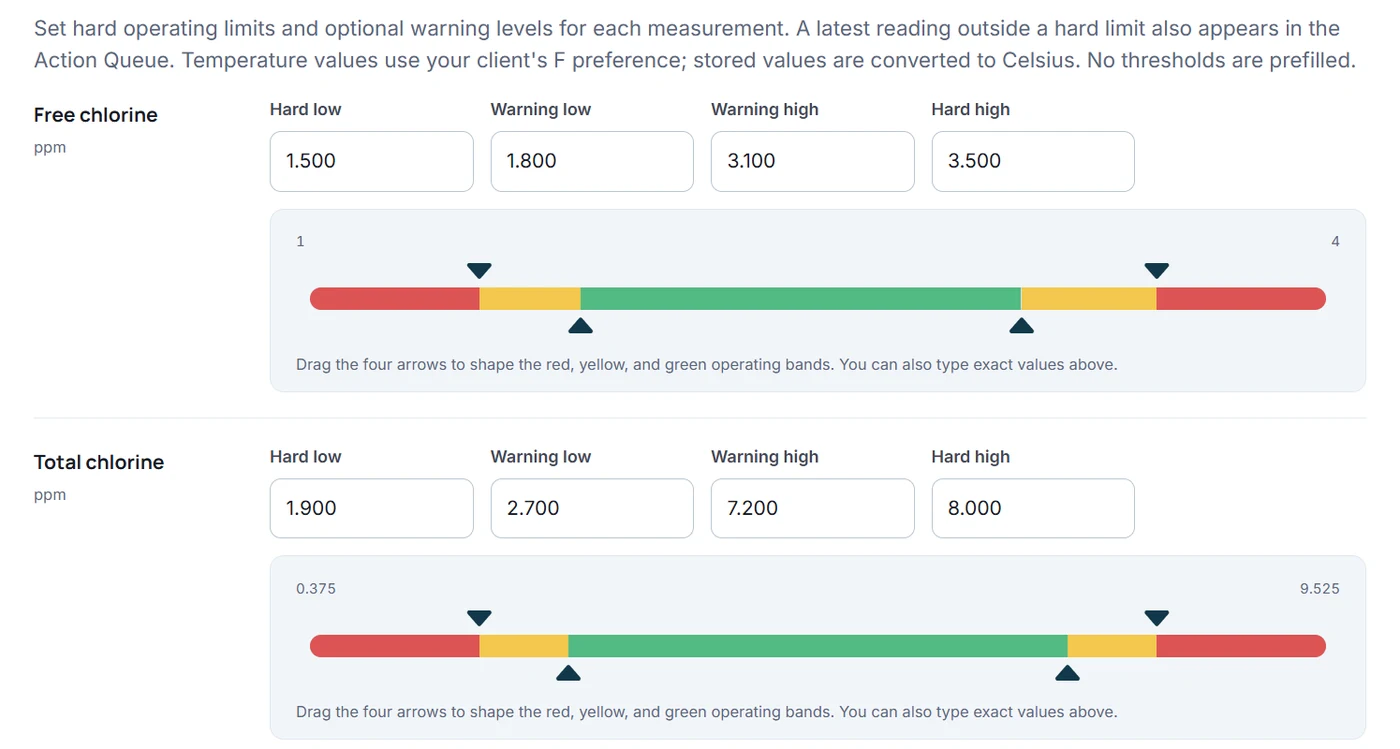
Enter readings manually from day one and check each one against the operating bands you set for that pool. Automatic controller readings require a separately validated and activated connection.

  • Balanced, Warning, or Danger on every reading
  • Six weeks of history for an inspector is a filter, not an afternoon
  • Manual entry works with no controller at all
Learn more →
Free chlorine hard and warning limits with draggable red, yellow and green operating bands

Also included

Built foundations and in-progress workflows
Your schedule, on your website

Public pool schedule

Publish a clean weekly schedule, then embed today's activities or a closure banner into the website your members already visit.

  • Script and iframe embed codes
  • Light or dark theme, color, type, and size controls
  • Updates from the public schedule source you choose
Learn more →
In progress

Staff alerts by email or text

Open shifts that need coverage, certifications about to expire, and schedule changes, sent to the people who need them, by email, text, or both.

  • Each person chooses their own channels; nothing is on by default
  • Text alerts are opt-in with STOP anytime
  • Operational alerts only, never marketing
Learn more →
Tells you when something goes quiet

Natare Heartbeat

Heartbeat watches the systems that keep your operation moving and surfaces stale readings, stalled integrations, and blocked data before a silent gap becomes days of missing records.

  • Check-in stations report in on their own
  • Missing chemistry readings get flagged
  • Alerts go to the people who can fix it
No rip-and-replace

Connectors & API

Keep your registration platform, access hardware, and onsite controllers. NatareOps has source-specific connector paths for approved systems, while manual entry remains available. Each live connection is scoped, validated, and activated separately.

  • Pilot controller connections for automatic chemistry after onsite validation
  • Schedule feeds from the systems you already use
  • A REST API for anything else
Ready for your IT review

Security & hosting

NatareOps runs on Microsoft Azure in the United States. Your data is encrypted, backed up, and kept separate from every other organization, and your security questionnaire is answered by someone who has run SOC 2, PCI DSS, and FISMA audits.

  • Hosted in Microsoft Azure's Central US region; your data stays in the U.S.
  • Encrypted at rest and over HTTPS in transit
  • The database accepts connections only from the NatareOps application
  • Automatic backups with point-in-time restore
  • Every record scoped to your organization, with role-based access for your team
Where your data lives
HostingMicrosoft Azure · Central US
Data at restEncrypted
In transitHTTPS · TLS 1.2+
Database accessApplication only
BackupsAutomatic · point-in-time
Your recordsScoped to your organization
Microsoft Azure data centers hold SOC 2 and ISO 27001 certifications.
Foundation built More in testing

Nat, an assistant for the pool deck

Nat's optional Manager Log polishing foundation is built and awaiting live provider evaluation before customer activation. Voice readings and operational questions remain in testing. Every proposed change is shown before it is saved.

Released in small steps, each one proven at a working pool first.

  • BuiltOptional Manager Log polishing foundation; live provider evaluation and customer activation remain open
  • In testingAsk NatareOps from Claude or ChatGPT on your phone or tablet
  • In testingVoice readings from the deck, confirmed before anything is written

How it starts

  1. 1A 20-minute demoYour pool, your questions, with the person who built it.
  2. 2We set it up with your dataMembers, staff, and pools imported and configured for you.
  3. 3Go live, one module at a timeStart with what hurts most today and add the rest when you're ready.

See it running on a real pool.

Plans are set up with each operation during a short demo.