
Check-in
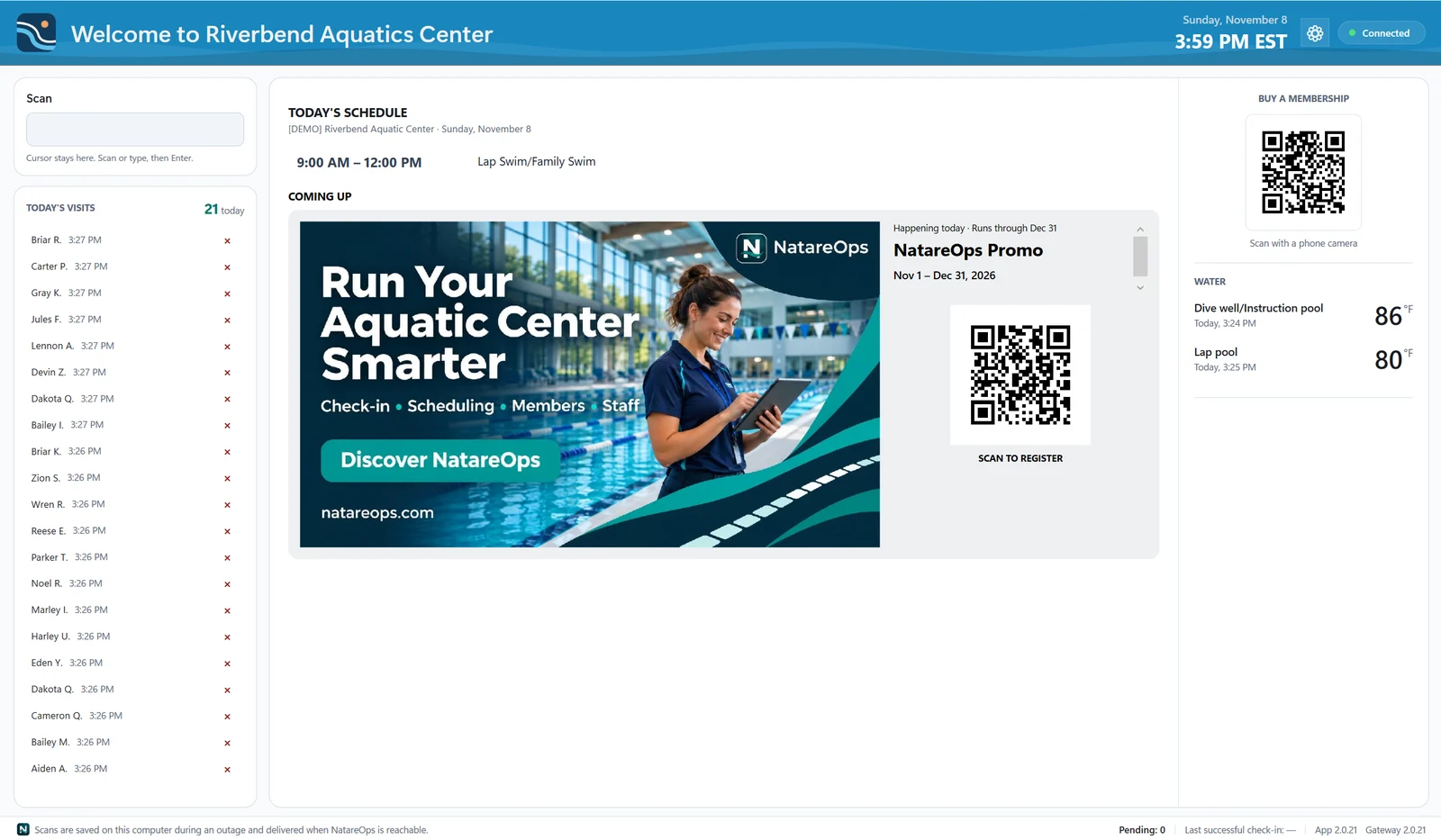
Scan a badge and the visit is recorded. The lobby screen shows who just arrived, what is on today, and what is coming up.
Feature overview
The NatareOps check-in screen keeps the cursor in the scan box, so a badge scan is all it takes. Each visit lands in today's list, and the same visit shows on the member's record. The center of the screen shows today's schedule and the promotions you have chosen to run, and the side shows the water readings for each pool.
Scan or type, then Enter.
The cursor stays in the scan box, so staff do not have to click first. Scan a badge or type a number and press Enter.
Customers see a first name and last initial, nothing more.
Today's visits list the person and the time, with a running count. The screen shows only a first name and last initial, and no membership or water detail is shown to customers beside a visit.
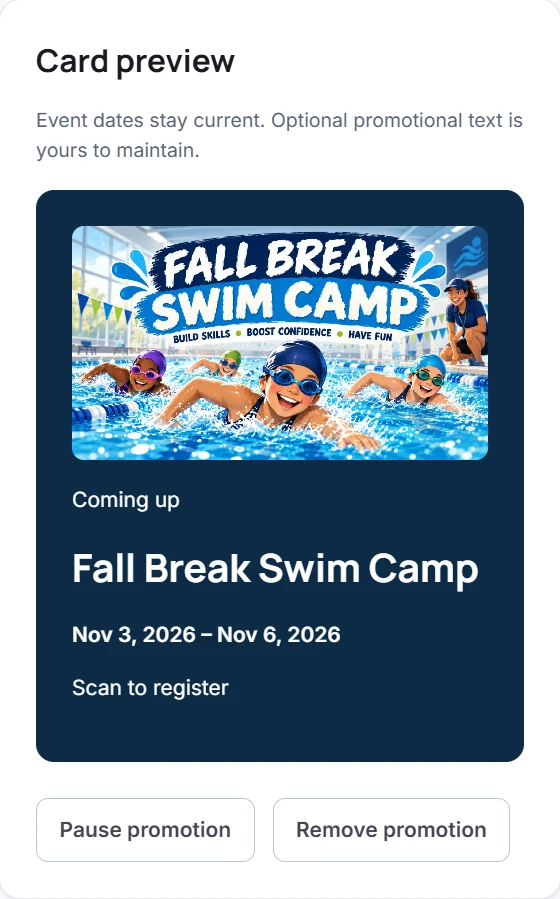
Your events, right where people wait.
Promotions you run appear under Coming up with their dates and a Scan to register code, so an event gets seen by everyone who walks in.
A dropped connection does not stop the line.
Scans are saved on the computer during an outage and delivered when NatareOps is reachable again. The screen shows how many are pending and when the last check-in succeeded.
See check-in on your own front desk.
Twenty minutes with the person who built it, using a screen set up for your facility.