
Memberships
Passes, visits, dates and badges on one record per person, so the front desk sees the answer before the swimmer asks.
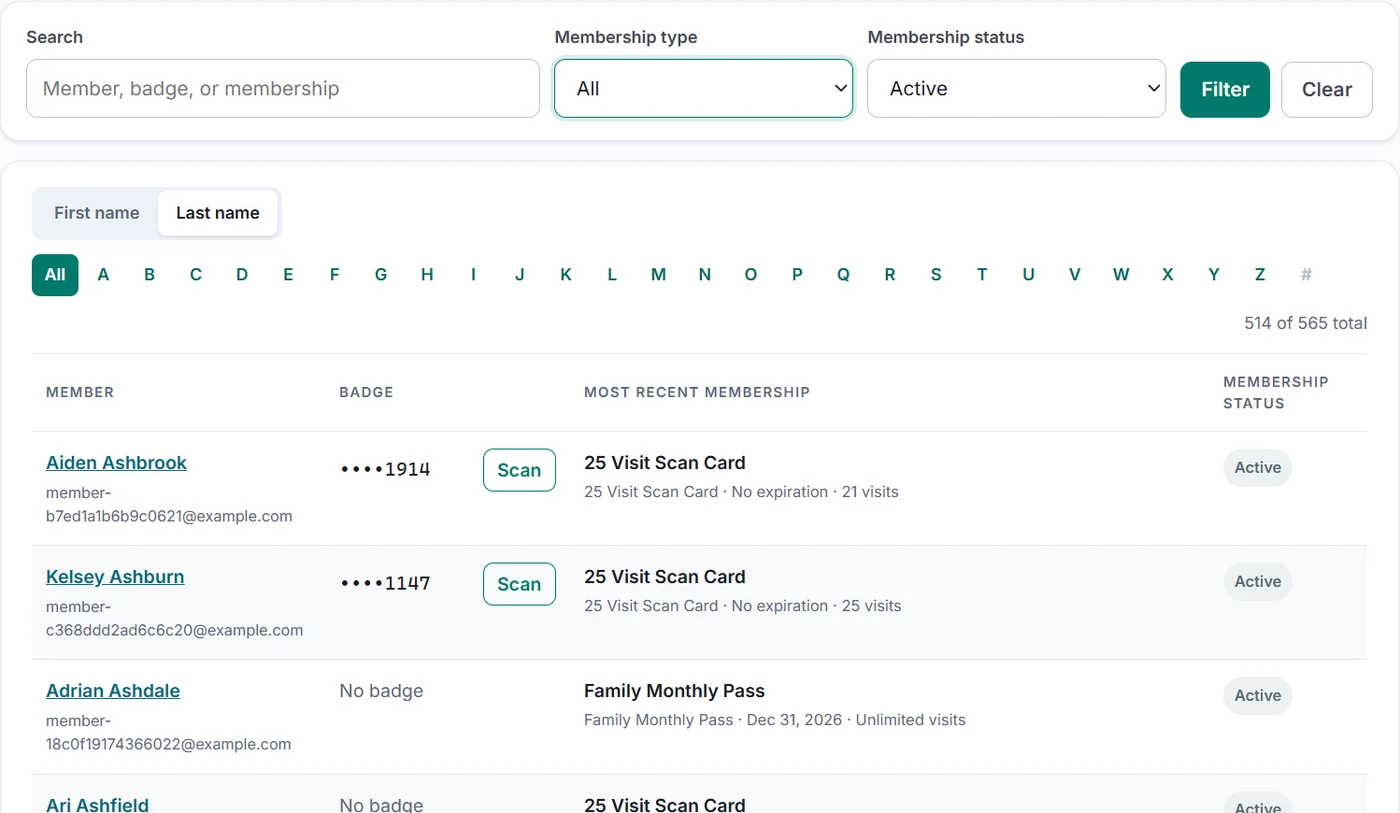
Feature overview
NatareOps Memberships gives every person one record. Passes, visit counts, start and end dates and the badge they scan all live there, and the same record shows up at check-in, in reports and on the staff screen. Staff see one plain status for each pass, so there is no guessing between Active, valid and expired.
One status you can read at a glance.
Each pass shows what it is today: valid, upcoming, expired, out of visits or inactive. Visits left updates on every scan.
- Valid
- Upcoming
- Expired
- Out of visits
- Inactive
Names open the person, every time.
A name links to the same member record wherever it appears. Family passes show who holds the pass and who is covered by it.
The badge belongs to the person.
Replace or revoke a badge from the person's record. A lost badge never touches a membership.
Search by name, badge or membership.
Filter by membership type and status, jump to a letter by first or last name, and see each person's badge and most recent membership in one row. Scan a badge straight from the list.
See Memberships on your own roster.
Twenty minutes with the person who built it, using your own passes and people.